
What is an eSIM?
Everything you need to know about the technology that replaces your physical SIM card, and makes travelling easier than ever.
Written and reviewed by the JamboSim eSIM support team ·
Short answer: what is an eSIM?
An eSIM (embedded SIM) is a small reprogrammable chip already built into your phone that does the job of a plastic SIM card. Instead of inserting a card, you download a carrier profile digitally, so a travel eSIM for international travel can be bought at home and activated in under a minute when you land.
An eSIM works alongside your normal SIM: you keep your home number for calls and texts while using cheap local data abroad.
How does an eSIM work, in four lines
- Your phone has an eUICC chip that can store several carrier profiles at once.
- You scan a QR code or tap an activation link; the profile downloads over Wi-Fi.
- The eSIM authenticates with the local network exactly like a physical SIM.
- You switch between plans in Settings, no SIM tool and no shop visit needed.
The Basics
A SIM card, but built into your phone
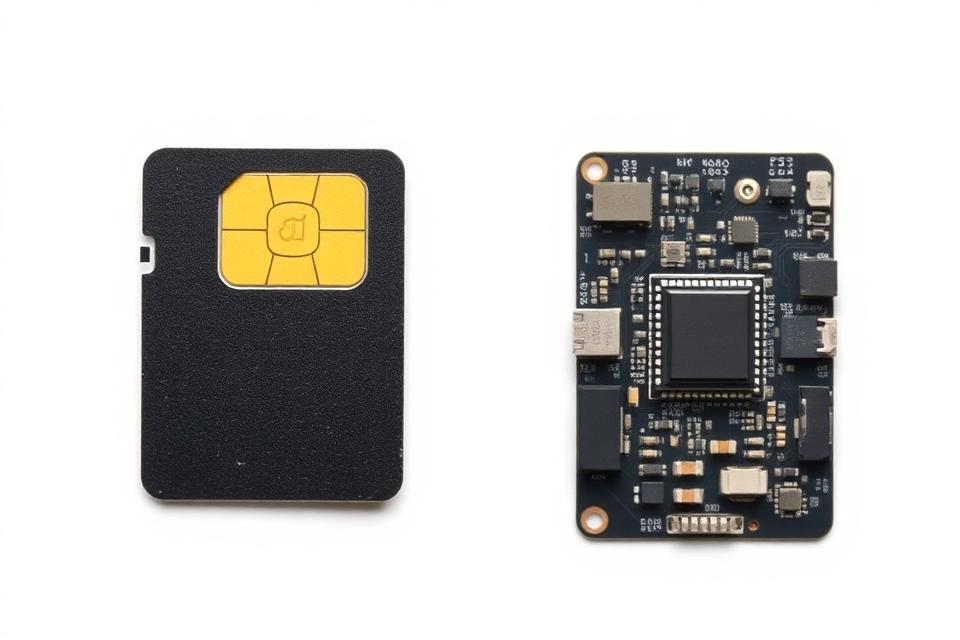
eSIM stands for embedded SIM. It's a tiny chip that's permanently soldered onto your smartphone's motherboard during manufacturing. Unlike a traditional SIM card that you physically insert, an eSIM is already inside your device, ready to be activated digitally.
Think of it like this: a regular SIM card is like a key you carry to unlock your phone's connection to a network. An eSIM is a programmable lock that can be configured remotely, no physical key needed.
The technology was developed by the GSMA (the global mobile industry body) and has been adopted by Apple, Samsung, Google, and virtually every major phone manufacturer since 2018.
eSIM vs Physical SIM: what's the difference?
Physical SIM
- Removable plastic card (nano/micro format)
- Must be purchased at a store or shipped
- Requires a SIM ejector tool to swap
- One SIM slot = one plan at a time
- Can be lost or damaged
- Takes days to arrive if ordered online
eSIM
RECOMMENDED- Built into your phone, nothing to insert
- Activated instantly via QR code or app
- No tools needed, 100% digital
- Store multiple plans simultaneously
- Cannot be lost, stolen, or damaged
- Ready in under 60 seconds
Under the Hood
How does an eSIM actually work?
1. The Chip
Every eSIM-compatible phone has a tiny reprogrammable chip (eUICC, embedded Universal Integrated Circuit Card) soldered to its motherboard. This chip can securely store multiple carrier profiles simultaneously.
2. The Profile Download
When you scan a QR code or enter an activation code, your phone contacts a remote provisioning server (SM-DP+). This server authenticates your device and securely downloads a carrier profile, which includes your phone number, data plan, and network credentials.
3. Network Authentication
Once the profile is installed, your phone can authenticate with the mobile network, just like a physical SIM would. The eSIM chip handles the cryptographic handshake with the carrier, proving your device is authorised to use the network.
4. Multiple Profiles
The real magic? You can store multiple profiles (plans) on one eSIM chip. Switch between your home plan and a travel plan with a single tap in your phone's settings, no swapping SIM cards. Most modern phones support 8+ eSIM profiles at once.
Why travellers love eSIM
No more hunting for local SIM shops at the airport. No more losing your home SIM. Just scan, connect, and explore.
Buy Before You Fly
Purchase and install your travel data plan from home. The moment your plane lands, you're online.
Keep Your Home Number
Your eSIM data plan runs alongside your existing phone plan. Receive calls and texts on your home number while using travel data.
Instant Activation
Scan a QR code, follow 3 prompts, done. The entire process takes less than 60 seconds, no shop visit needed.
One Plan, Many Countries
Regional and Global eSIMs cover dozens of countries. Cross a border and your plan keeps working, zero effort.
Safer Than Physical SIMs
An eSIM can't be physically stolen from your phone. If your phone is lost, the eSIM data is encrypted and protected.
Multiple Plans Stored
Going to 5 countries? Store 5 data plans on your phone before you leave. Activate each one when you arrive.
Is my phone eSIM compatible?
Most modern smartphones support eSIM, including iPhone XS and newer, Samsung Galaxy S20 and newer, Google Pixel 3 and newer, and many more. However, your phone must also be carrier-unlocked to use a travel eSIM.
Not sure if your device supports eSIM? We've compiled a complete list of every compatible phone, tablet, and smartwatch.
How to activate your eSIM step by step
Choose your destination
Browse 200+ countries or pick a regional/global plan. Select the data amount and duration that fits your trip.
Complete your purchase
Pay securely online. You'll receive a QR code via email within seconds, no waiting for delivery.
Scan the QR code
On your iPhone, go to Settings → Cellular → Add eSIM → Use QR Code. On Android, go to Settings → Network → SIMs → Add eSIM. Point your camera at the QR code.
Label your plan
Your phone will ask you to label the new plan (e.g. 'Travel' or 'Vacation'). This helps you identify it later.
Set data preferences
Choose your new eSIM as the default line for mobile data. Keep your original SIM for calls and texts if you want to stay reachable on your home number.
You're online!
That's it! When you arrive at your destination, make sure mobile data and data roaming are enabled for your travel eSIM. You'll connect to a local 4G/5G network automatically.